
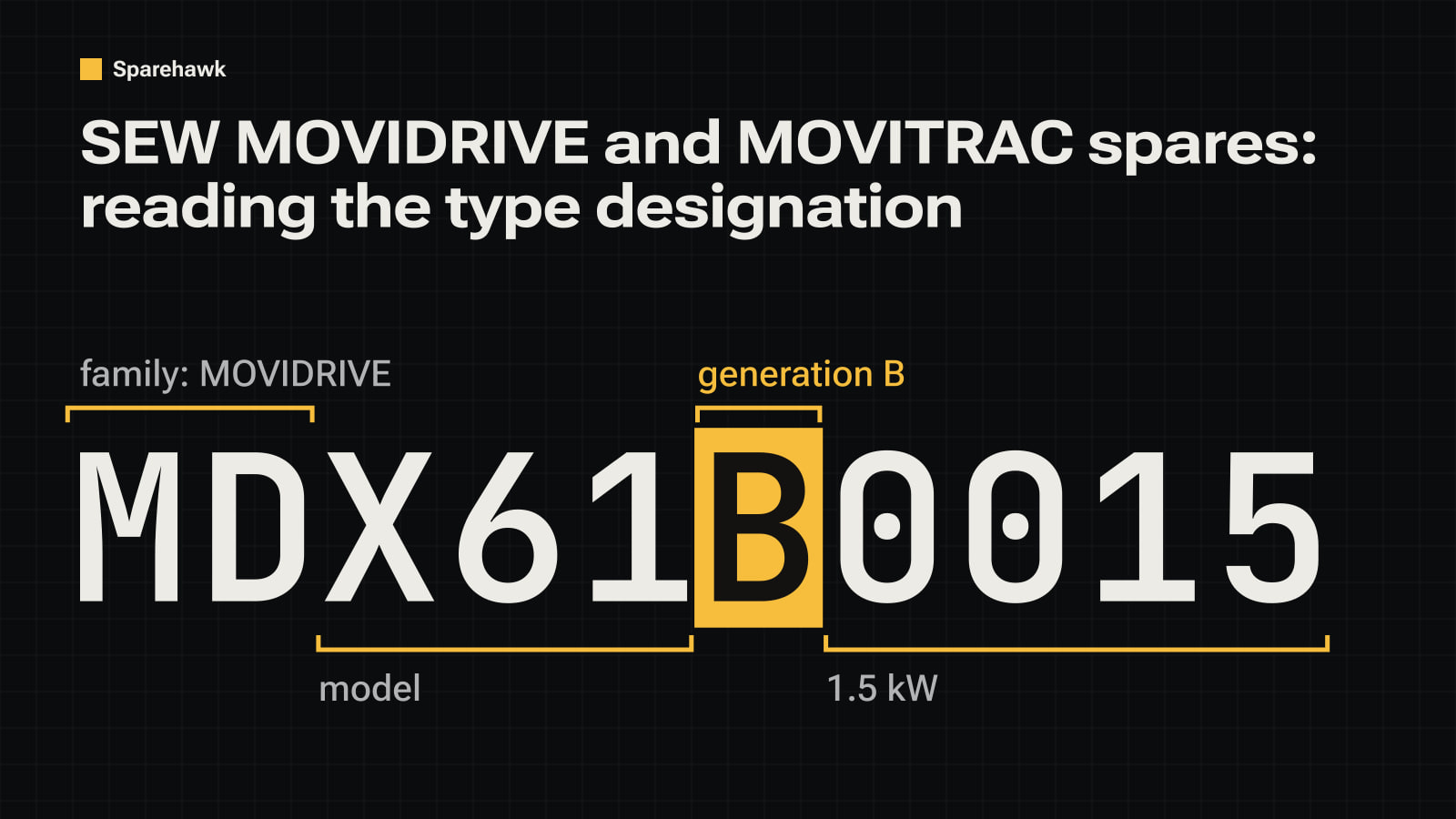
An SEW-Eurodrive inverter tells you most of what you need on its nameplate, in one string. MDX61B0015-5A3-4-00 is a MOVIDRIVE B of 1.5 kW; MC07B0005 is a MOVITRAC B of 0.55 kW; MDV60A0075 is a MOVIDRIVE of the earlier A generation. Read the string before anything else: the generation decides which option cards, software and spares fit.
The parts of the string
- The family: MD… is MOVIDRIVE, MC07… is MOVITRAC, MCV/MCF/MCS/MCH… is MOVIDRIVE compact, MX… is MOVIAXIS.
- The generation letter: MDX61B is the B generation, MDV60A and MC07A are the older A generations. The Sparehawk catalogue names them that way, as “MOVIDRIVE B” and “MOVITRAC 07A”.
- The power: the four digits that follow. MDX61B0015 is 1.5 kW and MDX61B0005 is 0.55 kW.
- The rest: supply voltage, design and options follow after the dashes. Two units with the same power and different endings are different products.
The families you can search
The catalogue groups SEW-Eurodrive parts by family and generation:
- MOVIDRIVE B: MDX60B, MDX61B.
- MOVIDRIVE A: MDX60A, MDV60A, MDS60A, MDF60A.
- MOVITRAC: MC07A, MC07B.
- MOVIDRIVE compact: MCV, MCF, MCS, MCH.
- MOVIAXIS servo units.
- Fieldbus interfaces and option cards.
Search MDX61B, MC07 or browse all SEW-Eurodrive parts.
Option cards and the parameter set
A MOVIDRIVE B runs with option cards (fieldbus interfaces, encoder cards, application modules), and the drive’s settings depend on them. When one fails:
- Note every option card fitted to the old drive, with its type designation.
- Save the parameters with SEW’s engineering software if the unit still powers up. A spare arrives with its previous machine’s settings or with factory defaults.
- Check the generation, not just the family. A MOVIDRIVE A and a MOVIDRIVE B are not interchangeable spares, and their option cards differ.
Spare or migration
SEW-Eurodrive’s current drive platform is MOVI-C, and SEW is the authority on which MOVI-C unit replaces a given MOVIDRIVE or MOVITRAC, and with what changes. Ask SEW with the full type designation of your unit. For one failed drive on a machine that otherwise runs, a unit of the same type designation with the same option cards is usually the faster fix. Finding a replacement part explains what to compare when you do change platform.
Before you order
- Send the complete type designation from the nameplate, and the serial number if the supplier asks for the build.
- List the option cards and their types.
- Ask what “refurbished” covered: see refurbished, surplus and used and warranty on surplus parts.
Not listed? Send a request with the nameplate photo: how requests work.